What the Home dashboard shows
Each number and card on the Home page, what it counts, and how to change the period.
Home is the first page you see after signing in. It's a quick summary of your business. Press any card or list to open the full page behind it.
Pick the period
At the top right, choose All time, Today, This week or This month. The numbers below change to match.
Clock in
If you track time, the Timesheet card shows whether you're clocked in. Press Clock in to start your day. See How to track hours with timesheets.
The numbers across the top
- Open estimates: estimates that are still drafts or sent and waiting for an answer, and how much money they add up to.
- Open jobs: jobs that aren't closed yet, plus how many are closed and the total.
- Total estimated: the value of all your estimates in the period.
- Invoiced: the total of your invoices, and how many were sent.
- Collected: money from invoices that are fully paid, and how many invoices that is.

Needs attention and quick actions
Under the numbers, Needs attention lists what's waiting on you: overdue invoices, estimates with no answer, store orders to ship, unread emails and today's jobs. Press a line to open it. Next to it are quick buttons for a New estimate, New invoice, New client and New job.
Recurring revenue
If you bill clients every month or year, this card shows your total per month, how many subscriptions are active, and what will be billed in the next 7 days. See How to bill a client every month or year.
Charts and recent estimates
- Estimates by status counts your estimates by draft, sent, approved, converted and declined.
- Jobs counts open and closed jobs.
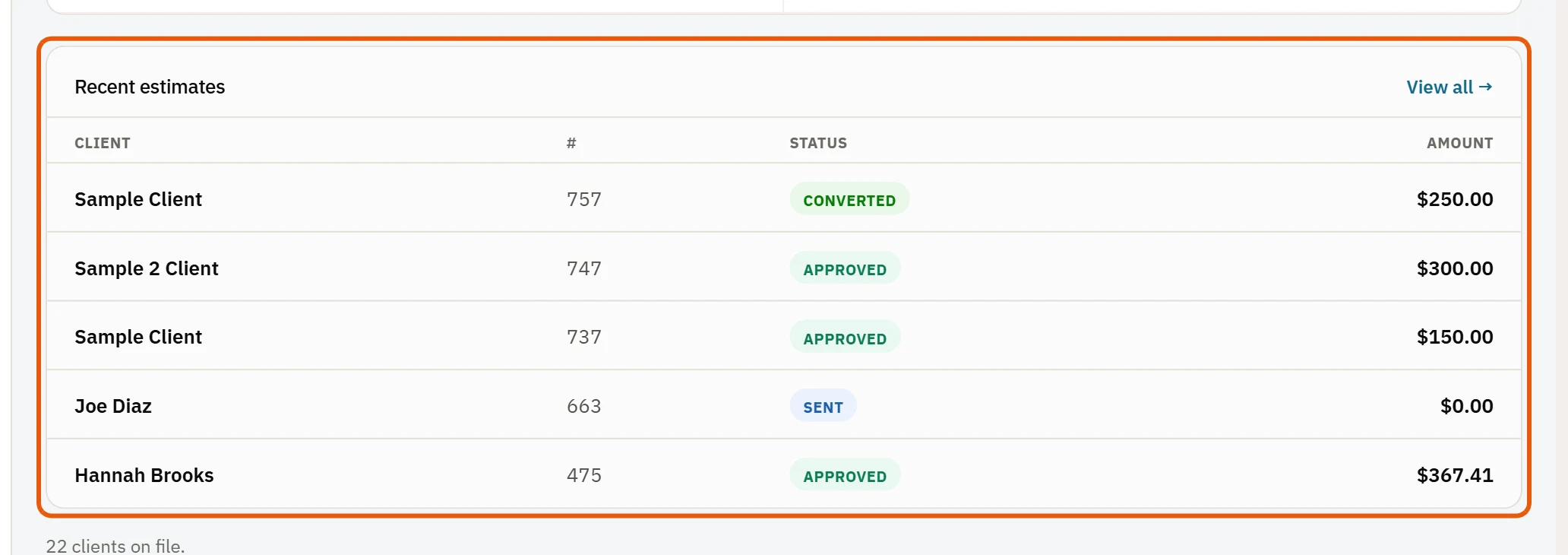
- Recent estimates lists the newest ones. Press one to open it, or View all → for the full list.