Run every job.
From the first call to the final payment.
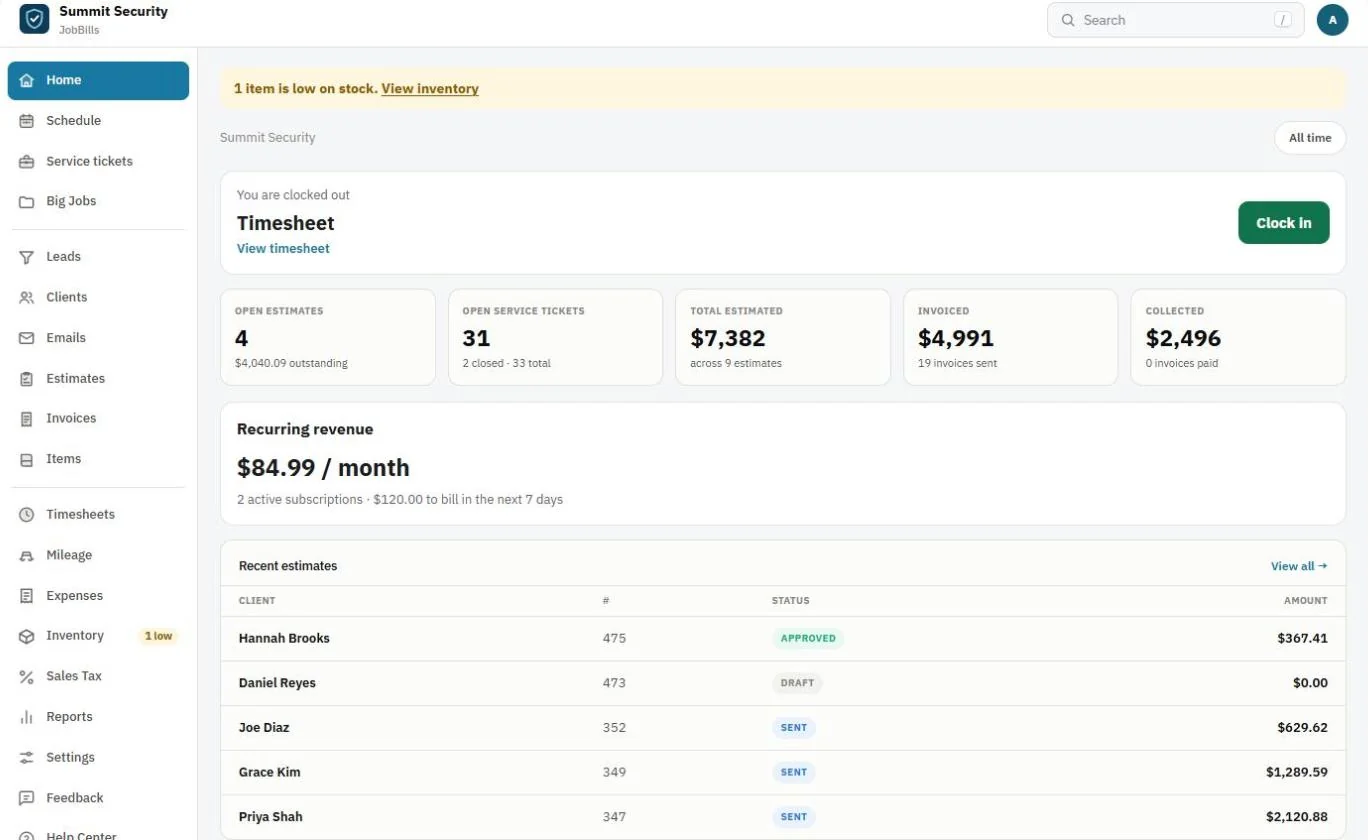
Scheduling, jobs, estimates customers sign, invoices they pay online, and multi-visit installs. One clean system for the office and the field.
No credit card. Works in any phone or computer browser. Android users can download the beta app; iPhone and Android store apps are coming at the end of Q1 2027.
Everything in one place
One system instead of five.
Built for alarm, low-voltage and other service companies who would rather be on the job than in spreadsheets.
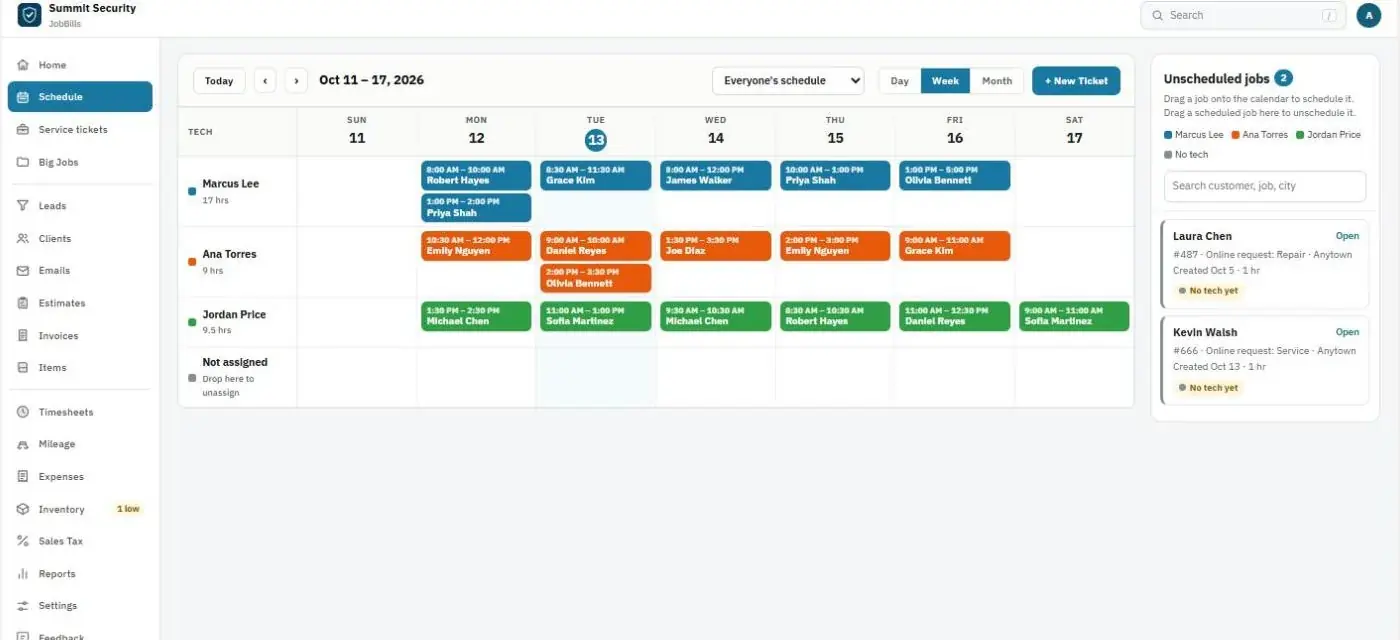
Schedule & dispatch
Drag-and-drop calendar by tech, with an unscheduled-jobs panel and online service requests that land right in it.
Estimates they sign
Good / Better / Best options, packages, deposits, and e-signature approval from any phone.
Invoices that get paid
Pay links, cards on file, bank payments, automatic overdue reminders and a client portal.
Big Jobs
Multi-visit installs with phases, change orders, progress billing and real job profit.
Team & roles
Owner, manager, office, tech, bookkeeper and sub roles. Techs never see your costs.
Items & stock
Items, packages and inventory in your warehouse and trucks, taken off automatically.
Reports & sales tax
Collected vs. invoiced, aging, tech hours, job profit and a sales tax report by city.
Client portal
Customers sign in with a one-time code to pay invoices, update their card and approve change orders.
Leads & online requests
A simple lead board, plus a request form for your website that becomes a ticket on its own.
In the field
Made for the person holding the ladder.
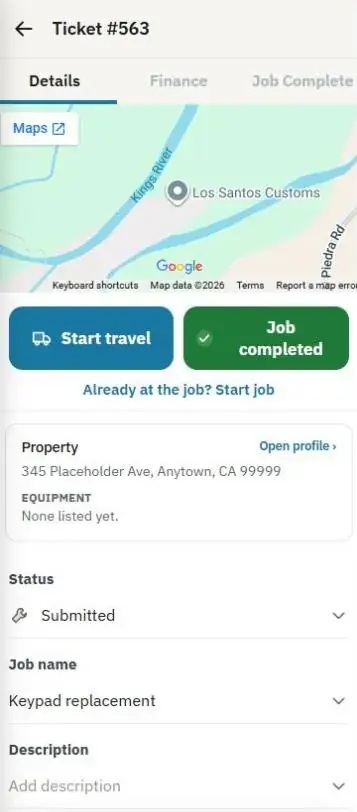
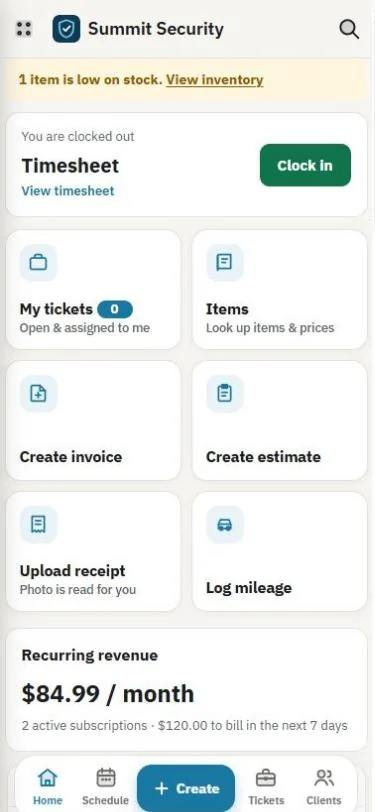
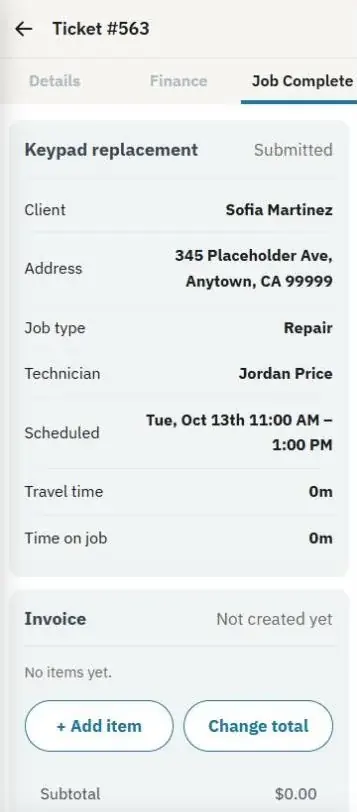
Techs open their tickets, start travel, add parts from your items, get the customer’s signature and take payment, all from their phone.
- Travel and job time tracked automatically
- Mileage worked out from the job address
- Scan receipts; they’re read for you
- Equipment, photos and access notes for every property
Estimates
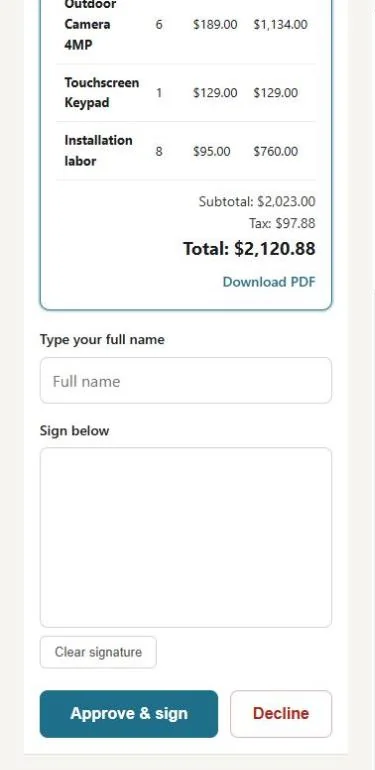
Send it tonight. Signed by morning.
Your customer opens the link on their phone, reviews every line and signs to approve. Approved estimates turn into an invoice, a job or a Big Job in one click.
How estimates work →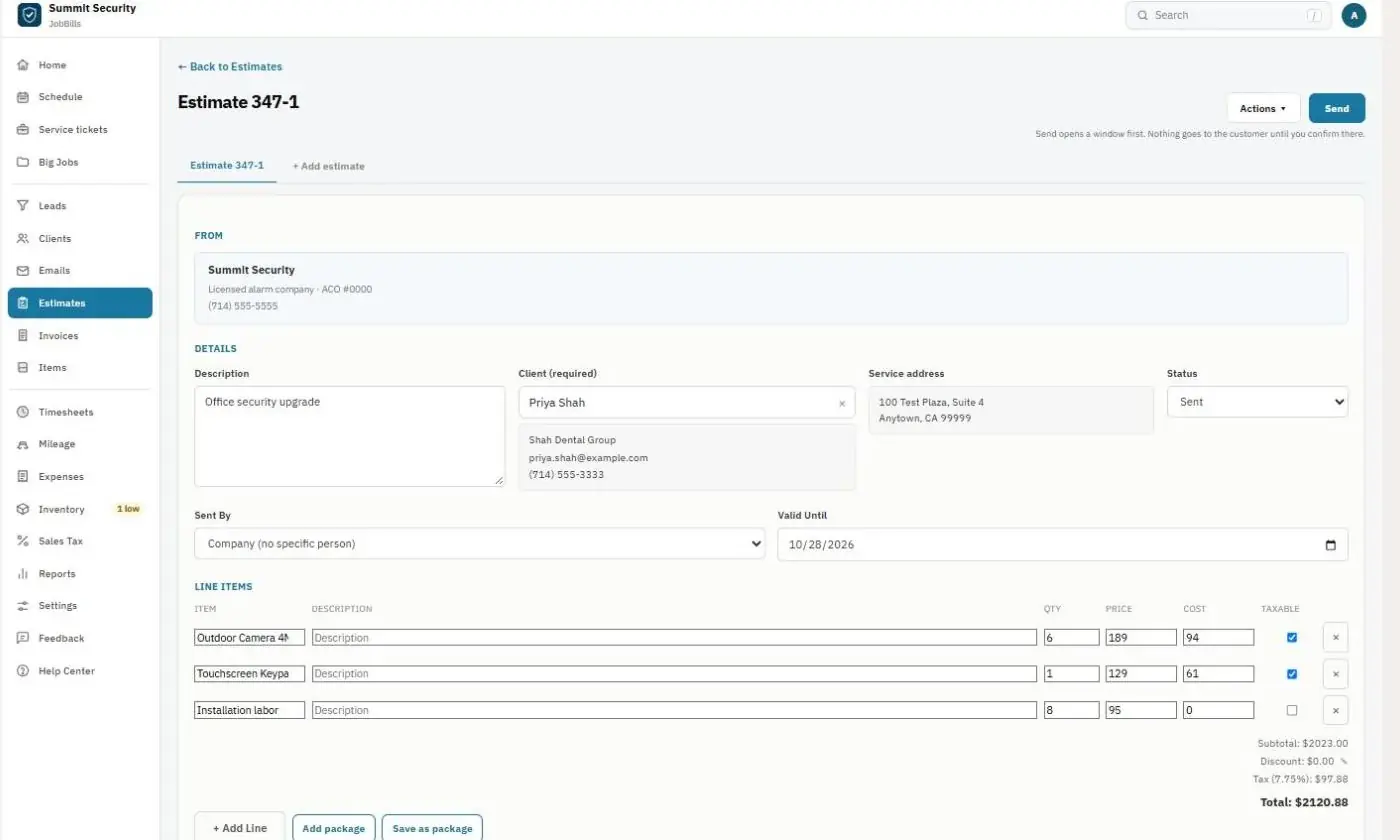
Getting paid
Know exactly who owes you.
Due, overdue, unsent and paid at a glance. Customers pay by card or bank account, reminders go out on their own, and payments sync to QuickBooks Online.
How invoicing works →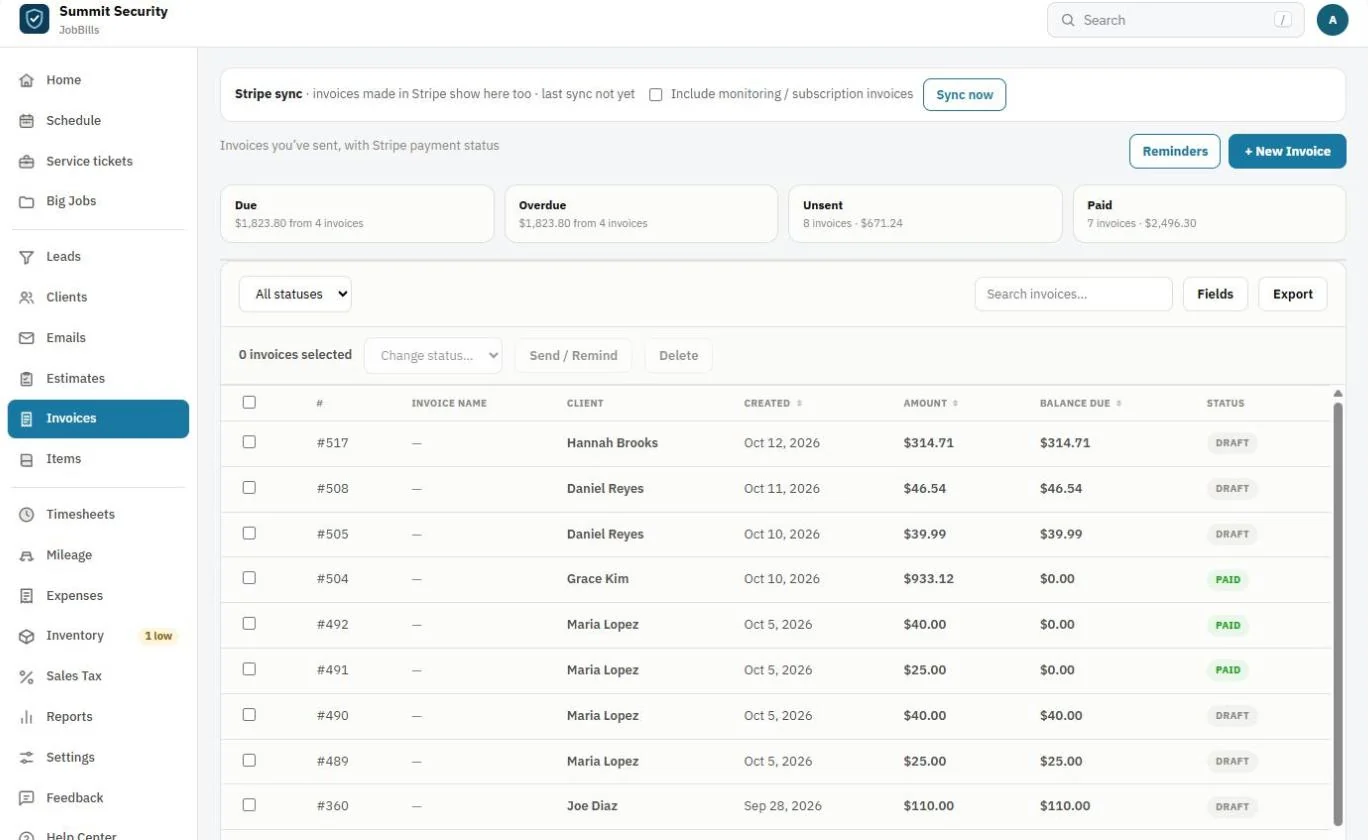
Big Jobs
Installs that take months, without the mess.
Rough-in now, trim-out after drywall. Keep every visit, change order, progress invoice and receipt together, and see the real profit on the job.
How Big Jobs work →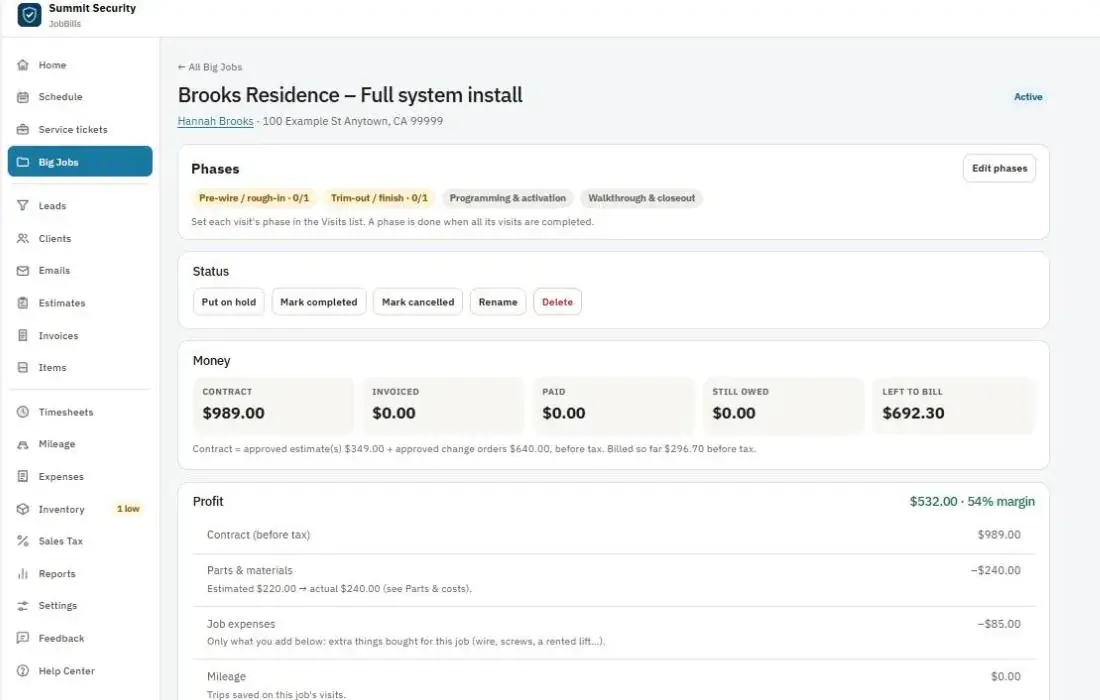
Clients & properties
Every address remembers what’s there.
Equipment with warranty dates, photos of the panel location, gate and parking notes, maintenance reminders and full service history.
How clients work →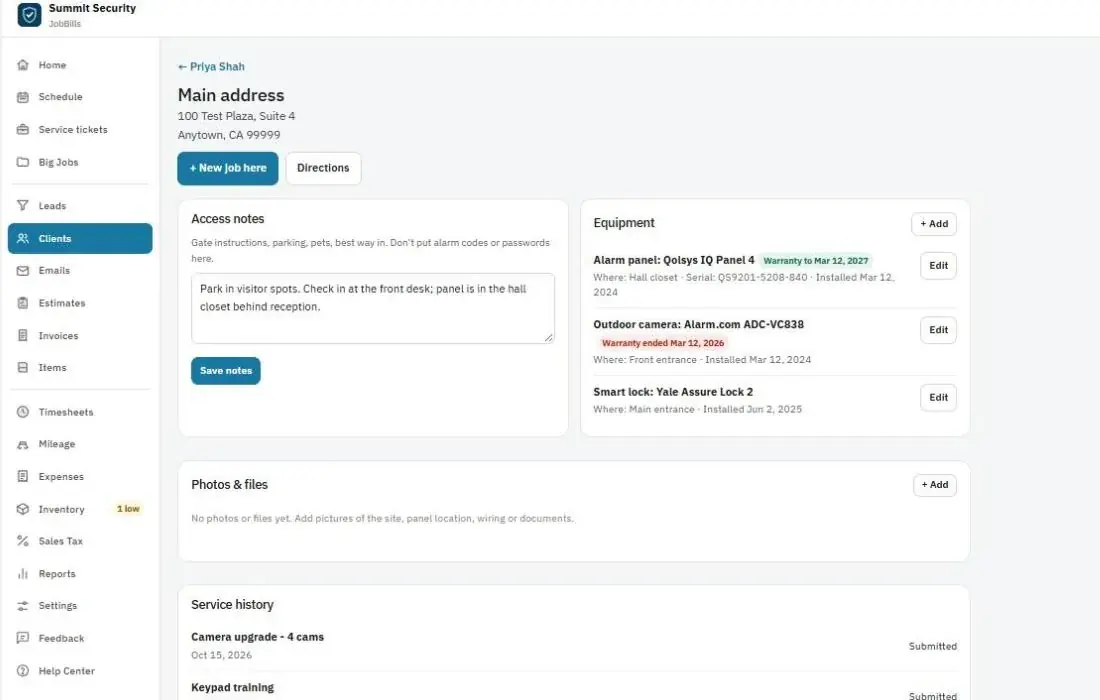
Works with the tools you already use
Up and running today
Three steps.
Create your account
Your business name and email. Ready in a minute.
Bring in your business
Import customers and your price list, invite your team.
Book, bill, get paid
Send your first estimate and watch it come back signed.
Every feature has a step-by-step guide with pictures in the Help Center.