How to find your way around JobBills
The menu, search, the ? button and other shortcuts that save time.
The menu
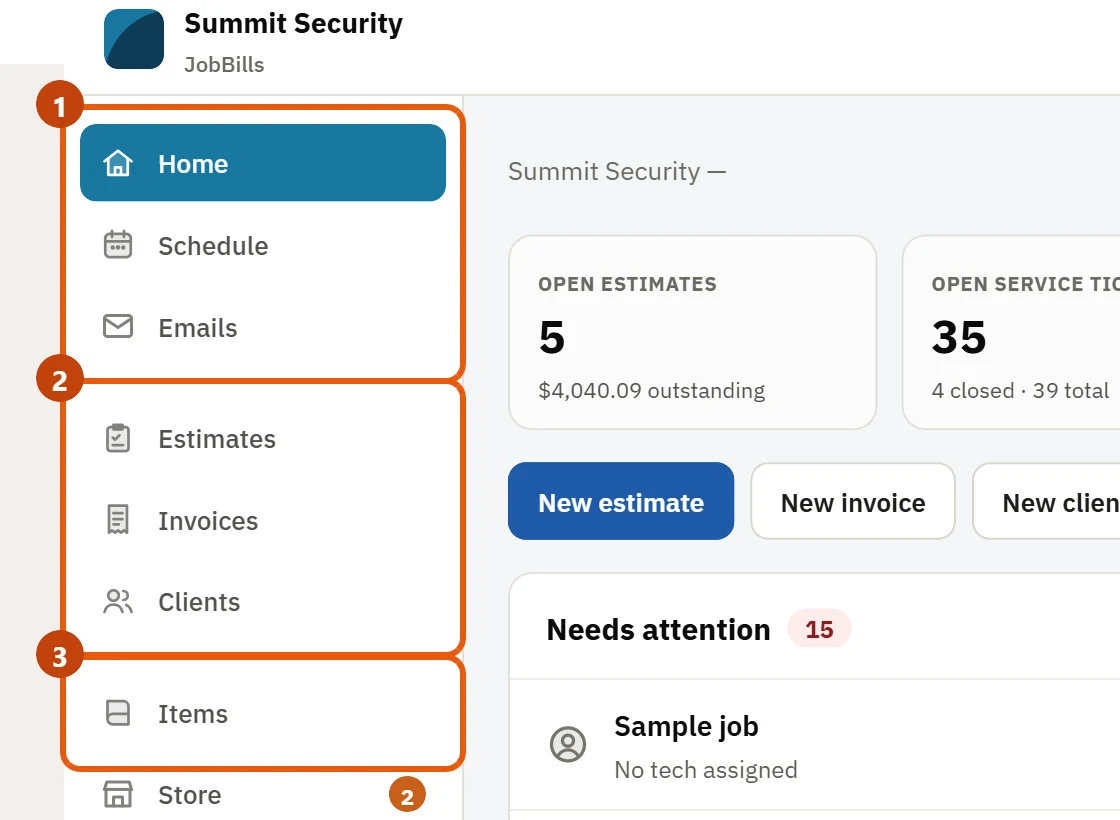
The left menu has every page, in three groups:
- Home, Schedule, Jobs, Big Jobs and Emails
- Estimates, Invoices, Clients and Leads
- Items (your items) and Inventory
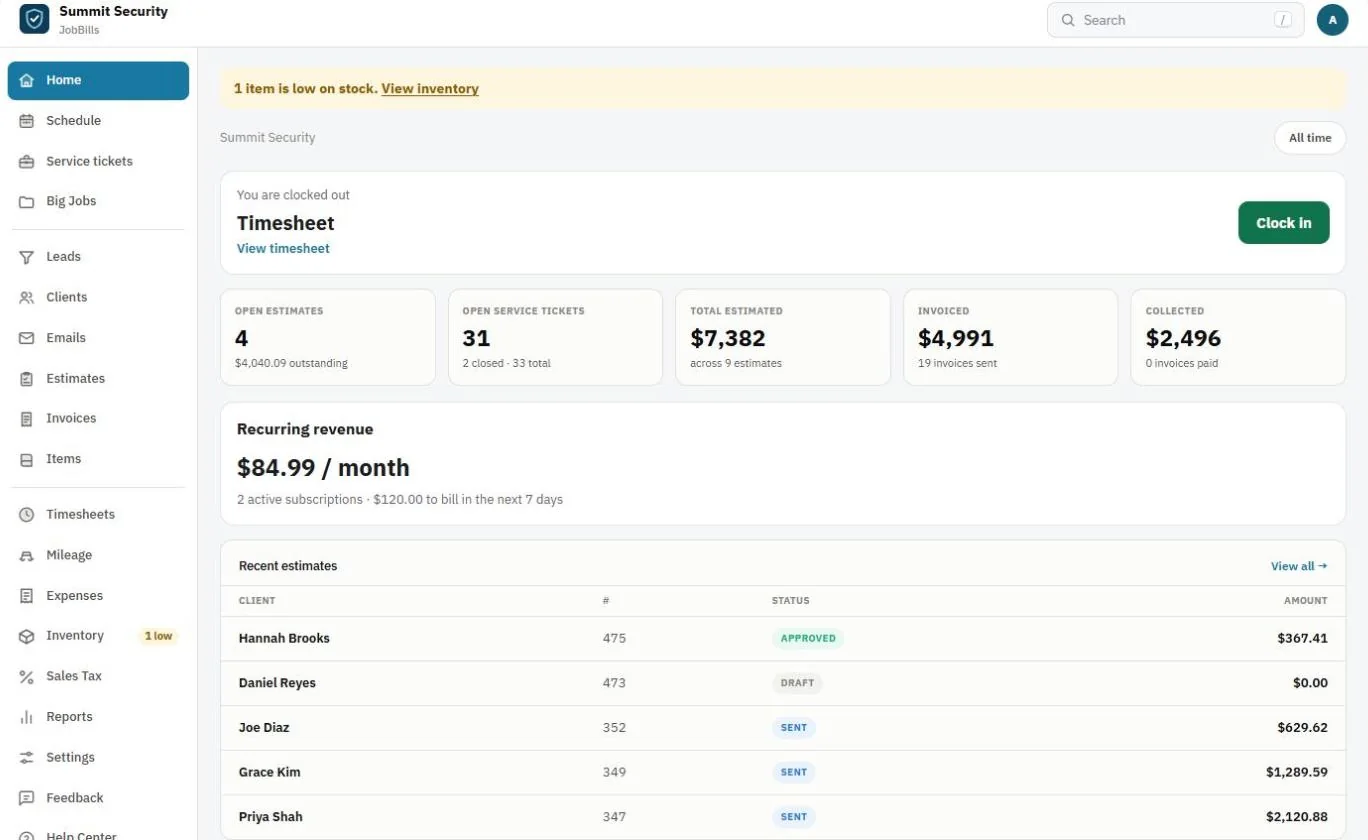
Press More at the bottom for Timesheets, Mileage, Expenses, Reports (including the sales tax report), Settings, Feedback and the Help Center. More opens by itself when you're on one of those pages.
Search anything
Use the Search bar at the top to find a client, job, estimate or invoice. On a computer, press the / key to jump straight to it.
The ? button
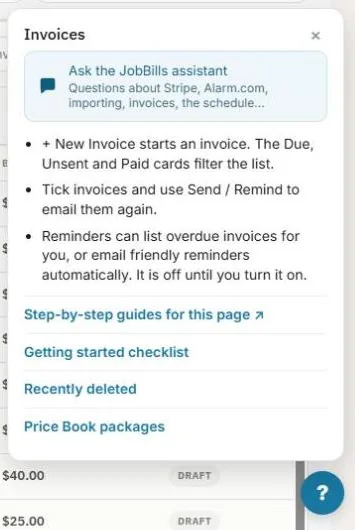
The round ? button at the bottom right of every page has:
- Quick tips for the page you're on.
- Ask the JobBills assistant, a help chat you can ask how to do anything.
- A link to the step-by-step guides for that page.
- The Getting started checklist and Recently deleted.
Lists and columns
Most lists (Clients, Jobs, Estimates, Invoices) have a Fields button. Use it to pick which columns show.
Long lists show 50 rows at a time. Press Show more at the bottom for the next 50; searching or filtering always looks through the whole list.
The Clients list has quick filters above it: All, Owes money, Estimate waiting and Added this month, plus a Sort menu (name, owes most, newest). Estimates and invoices show an Expired or Store tag when that applies.
Numbers in the menu
Emails shows how many conversations are unread, and Store shows how many orders are waiting to be shipped or picked up, so nothing is missed.
Recently deleted
Deleted estimates, invoices, items and jobs stay in Recently deleted for 30 days. Press Restore to put one back exactly as it was. Find it under the ? button or in Settings.