How to restore something you deleted
Deleted estimates, invoices, items and jobs stay in Recently deleted for 30 days.
Deleted something by mistake? It isn't gone yet. Deleted estimates, invoices, items, jobs and clients stay in Recently deleted for 30 days.
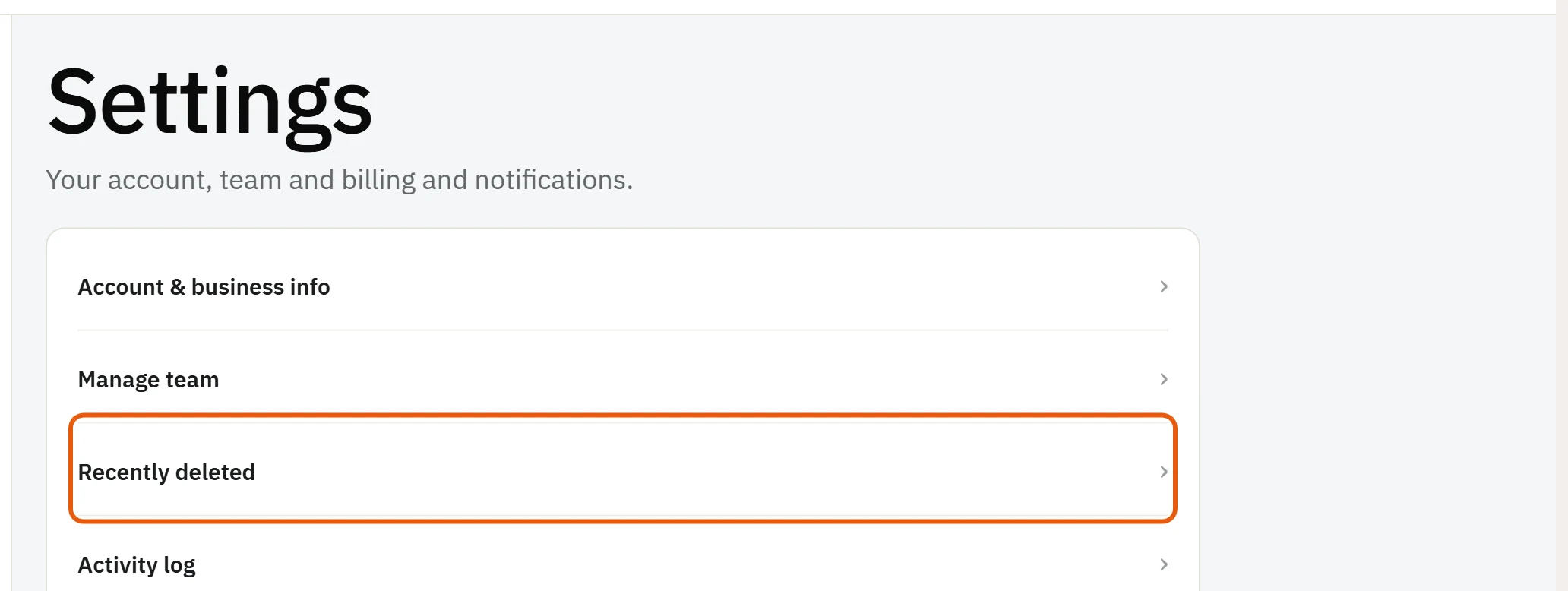
- Press the round ? button and choose Recently deleted. You can also find it in Settings.
- Find the estimate, invoice, item or job.
- Press Restore.
It comes back exactly as it was, with the same number, lines and payments.
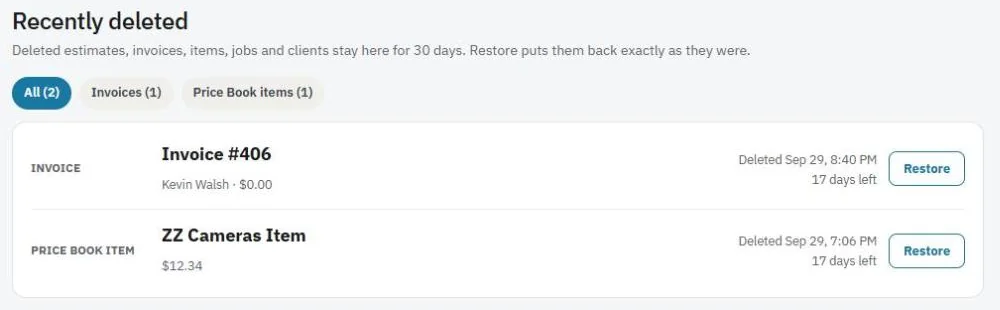
Note: Things stay in Recently deleted for 30 days. After that they're deleted for good.
Was this guide helpful?
Related guides
How to find your way around JobBillsHow to create an estimateHow to add items to your itemsStill stuck? Inside JobBills, press the round ? button to ask the help chat, or email [email protected].