How to follow up on estimates
See which estimates are waiting for an answer, send a friendly check-in by hand or automatically, and spot expired ones.
Most estimates that go unanswered just got forgotten. A short "just checking in" email a few days later wins a lot of them. JobBills can list who's due, or send the check-in for you.
See who's waiting
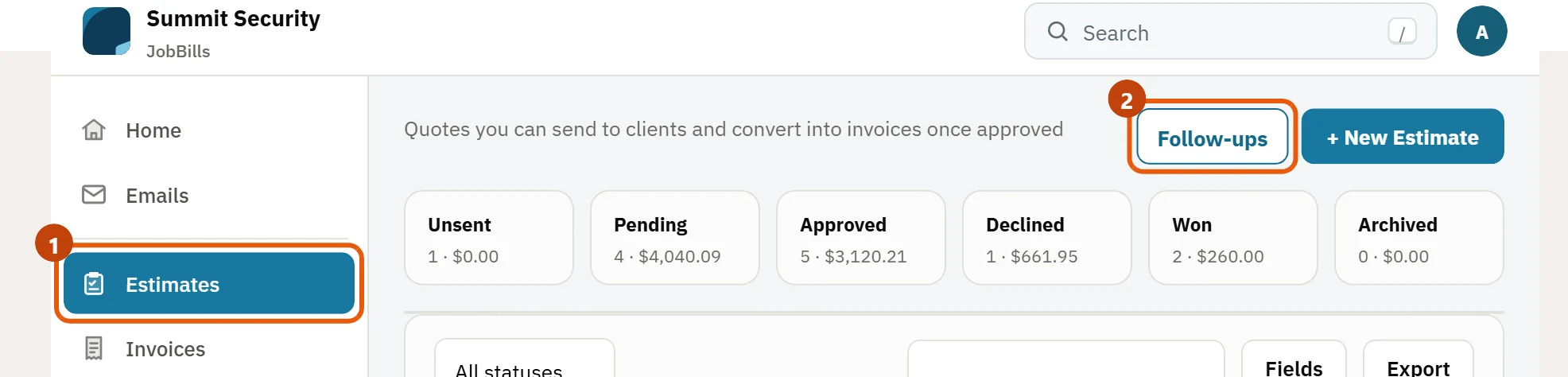
- Open Estimates and press Follow-ups at the top.
- The list Estimates waiting for an answer shows every estimate that was sent and hasn't been approved or declined: the client, the amount, when it was sent, how many days ago, and how many follow-ups have already gone out.
- Press Preview to read the email, then Send to send it right away.
Choose how follow-ups work
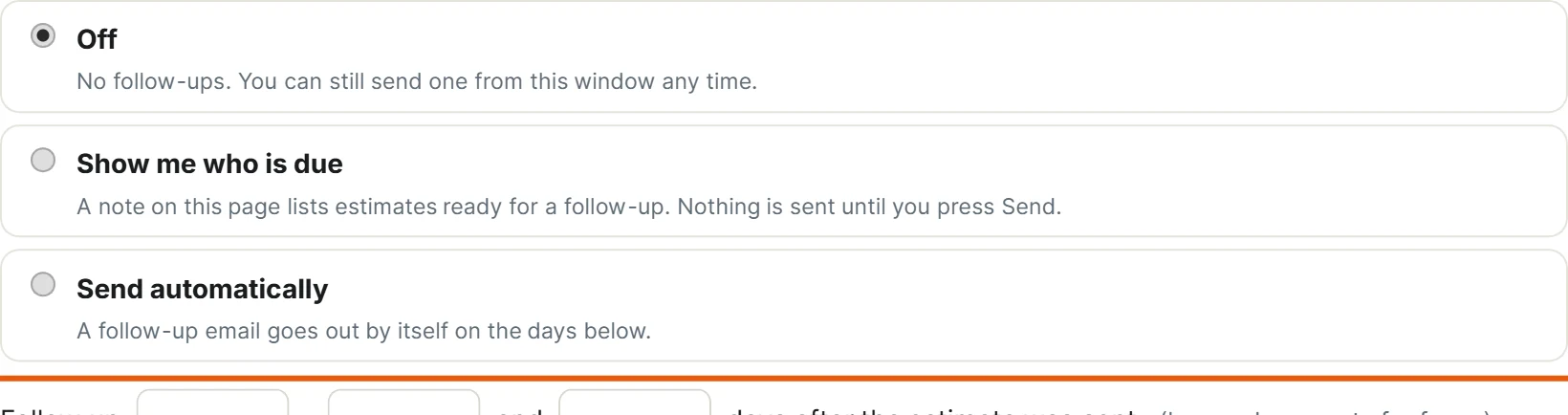
In the same window, pick one:
- Off: nothing happens by itself. You can still send one from this window any time.
- Show me who is due: JobBills lists the estimates that are due for a check-in; you review and press Send.
- Send automatically: a friendly follow-up email goes out by itself on the days you choose after the estimate was sent, for example 3 and 7 days. Leave a box empty for fewer.
Press Save settings.
Automatic follow-ups are sent at most 3 times per estimate, only while it is still Sent (never after it's approved, declined or turned into an invoice), and never for estimates sent more than 60 days ago. They go out from your business email and are recorded on the estimate and on the client's timeline. See How to set up email.
Expired estimates
If an estimate has a Valid until date that has passed, the list marks it Expired. Press the Expired chip above the list to see only those. Each one has a Follow up → link that opens the estimate ready to send again, so you can refresh the date or the prices and resend.