How to create packages
Bundle items you sell together and add them to estimates and invoices in one click.
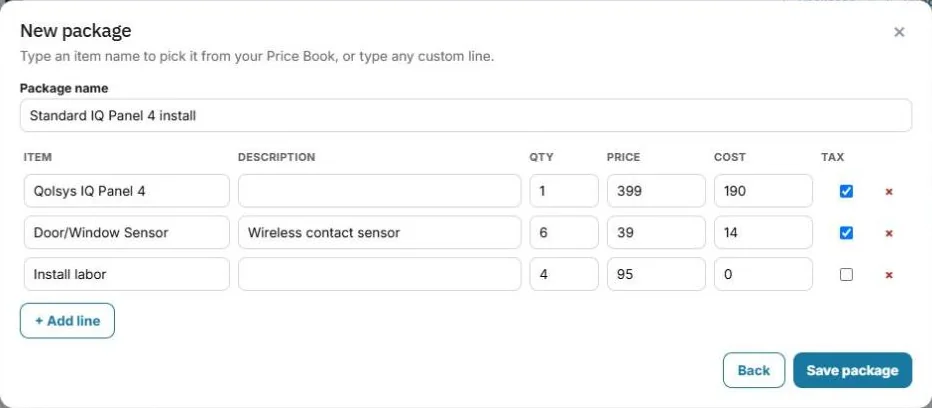
A package is a saved group of lines, like "Standard IQ Panel 5 install": the panel, sensors and labor.
Create a package
From an estimate or invoice: add the lines, press Save as package, give it a name and press Save package.
From your items: go to Items → Packages → New package. Type an item name to pick it from your items, or type any custom line. Save it.
Use a package
On any estimate or invoice, press Add package, search for it and pick it. All its lines are added at once. Change quantities or prices on the estimate if you need to. The package itself doesn't change.
Edit or delete
Go to Items → Packages, open the package and edit the lines, or delete it.
Was this guide helpful?
Related guides
How to add items to your itemsHow to create an estimateHow to give the customer options (Good / Better / Best)Still stuck? Inside JobBills, press the round ? button to ask the help chat, or email [email protected].