How to add your team
Add techs and office staff, send them a login invitation, and set their cost per hour.
Add someone
- Go to Settings → Manage team.
- Press + Add Worker.
- Type their Worker Name (required), Email, Phone and Position / Role, for example "Lead Technician". Add Notes if you like.
- To give them a login, check Email them an invitation to set up their own username and password. They need an email for this.
- Press Save Worker.
They get an email with a link to choose their username and password. The link works for 3 days.
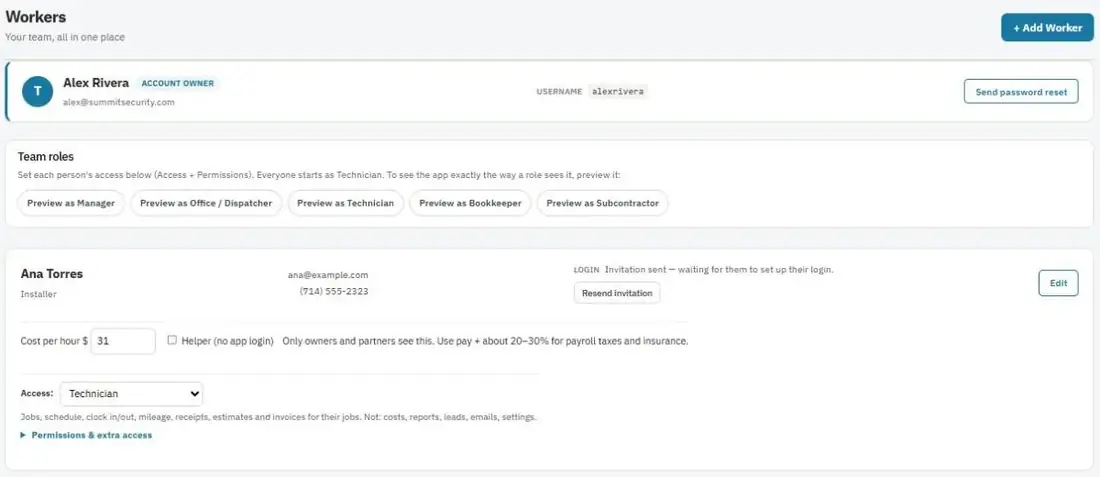
They didn't get the invite?
Check their spam folder first. On their row, press Send login invitation to send a new one. Once they've set up a login, Send password reset helps if they forget their password.
Set what they can do
Everyone starts as a Technician. Change it with Access on their row. See Roles and permissions.
Cost per hour (for job profit)
Type their Cost per hour $ on their row. Use their pay plus about 20–30% for payroll taxes and insurance. JobBills uses it to work out labor cost on jobs and Big Jobs. Only owners and partners see it.
Helpers without a login
For a helper who doesn't use the app, check Helper (no app login). You can still put them on jobs so the crew knows who's coming, and add their hours to a job for profit.